
windows安装子系统wsl Installing, this may take a few minutes... WslRegisterDistribution faile

windows应用商店安装的ubuntu子系统启动的时候报错Installing, this may take a few minutes…
WslRegisterDistribution failed with error: 0x8007019e
Error: 0x8007019e ?????? Linux ? Windows ????????? ?wsl.exe --install? ?????
?????????? https://aka.ms/wslinstall
Press any key to continue…
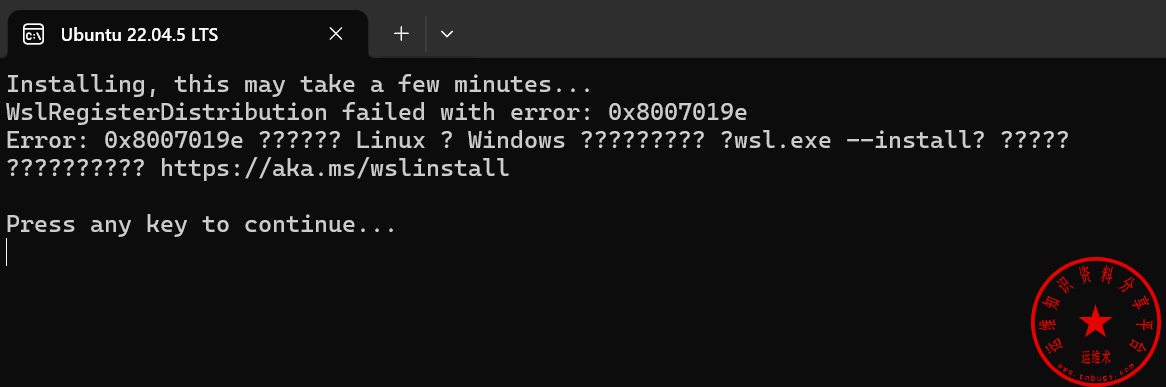
原因分析:
这是未安装子系统支持组件
解决办法:
使用管理员运行powershell,运行如下命令进行重启即可
Enable-WindowsOptionalFeature -Online -FeatureName Microsoft-Windows-Subsystem-Linux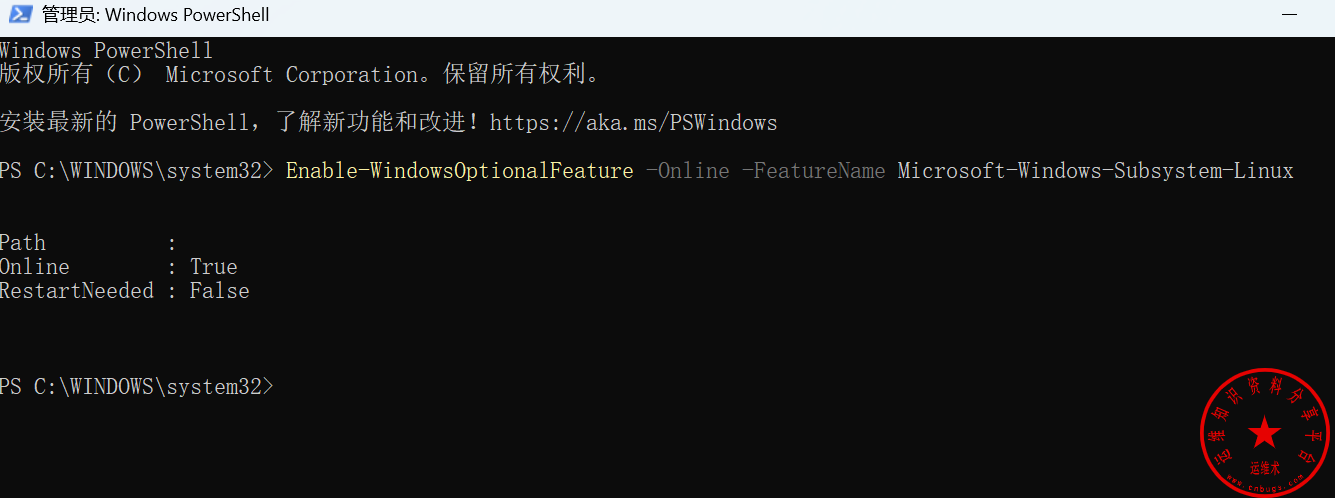
重启完之后输入账号密码就可以了。
还是不行执行下面的命令在进行重启
3、输入(此步安装WSL):
dism.exe /online /enable-feature /featurename:Microsoft-Windows-Subsystem-Linux /all /norestart
4、输入(此步安装WSL2):
dism.exe /online /enable-feature /featurename:VirtualMachinePlatform /all /norestart声明:本站所有文章,如无特殊说明或标注,均为本站原创发布。任何个人或组织,在未征得本站同意时,禁止复制、盗用、采集、发布本站内容到任何网站、书籍等各类媒体平台。如若本站内容侵犯了原著者的合法权益,可联系我们进行处理。





